How to Verify Your Binolla Account in 2026: Step-by-Step KYC Guide, Documents & Approval Time

Verifying your Binolla account is an important step to unlock full platform features, secure your profile, and comply with KYC (Know Your Customer) requirements. The verification process is designed to be straightforward while ensuring the safety of your account and funds.
In this step-by-step guide, you’ll learn how to verify your Binolla account, what documents are needed, how to submit them, and what to expect regarding approval time so you can complete verification smoothly and start trading with confidence.

Binolla Verification Process Overview
Binolla is a modern online trading platform that provides access to global financial markets through a secure, efficient, and innovative trading environment. With a strong focus on transparency and user protection, Binolla implements a verification process to ensure account security and compliance with regulatory standards.
The platform supports trading across multiple asset classes, including Binary Options, commodities, indices, and cryptocurrencies, making it suitable for both new and experienced traders. Completing account verification helps protect your funds, unlock full platform features, and enable smooth deposits and withdrawals.
Below is a brief overview of the Binolla verification process, designed to help you confirm your account details safely and start trading without interruptions.
#1 Visit the Official Binolla Binary Options Platform
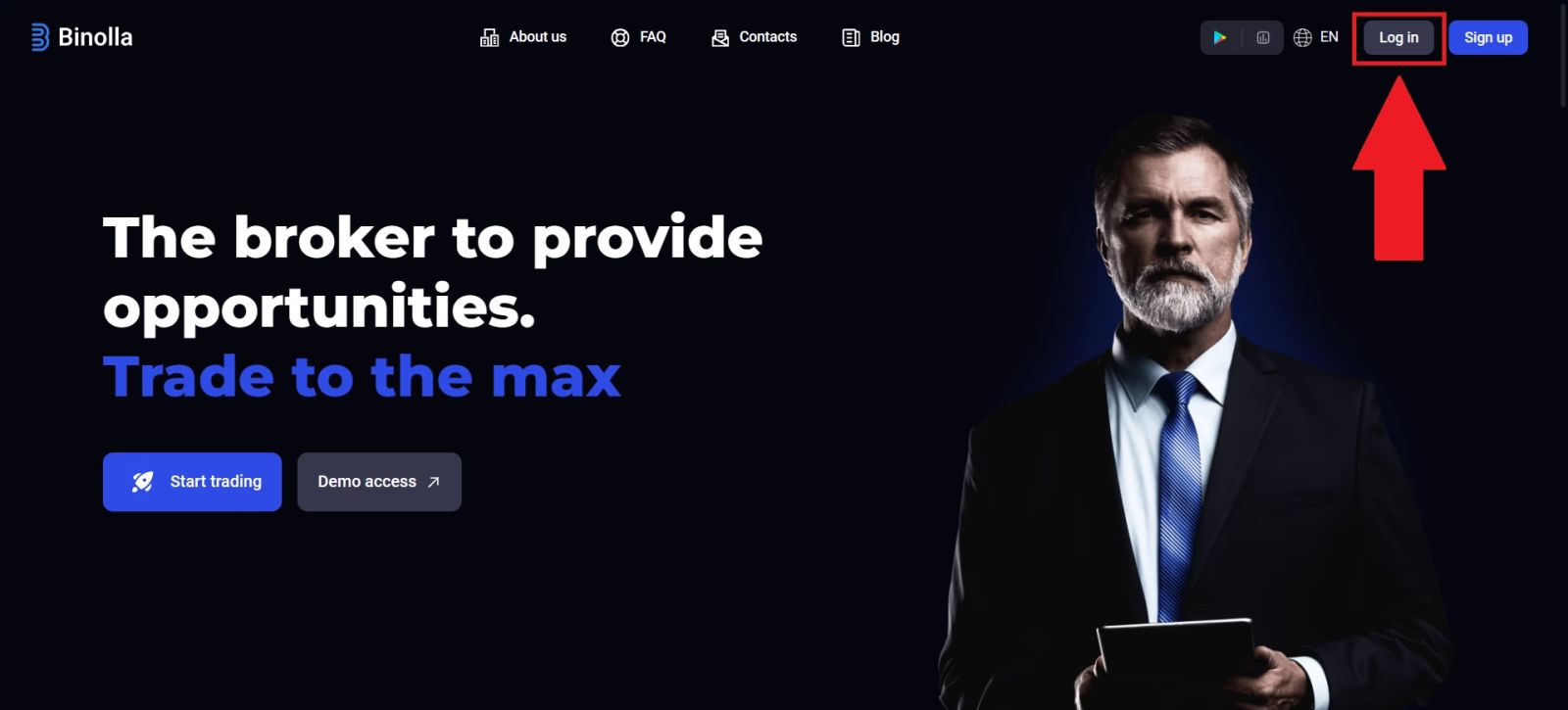
Navigate to the official Binolla website and carefully check the URL to ensure secure access. Binolla provides a user-friendly interface designed to help new users create an account with ease.
After reaching the homepage, select [Log in] to open the login page and begin the process.
#2 Access the Verification Section
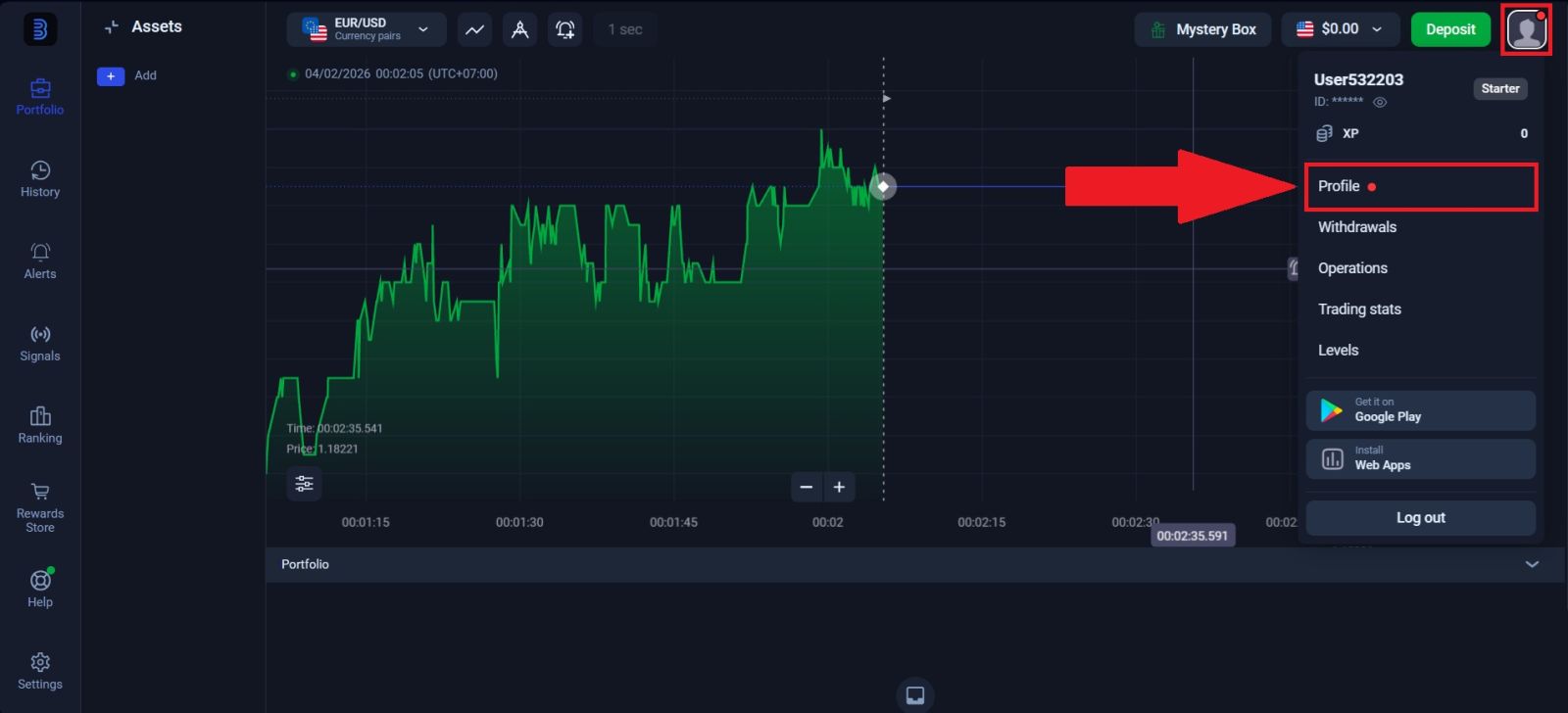
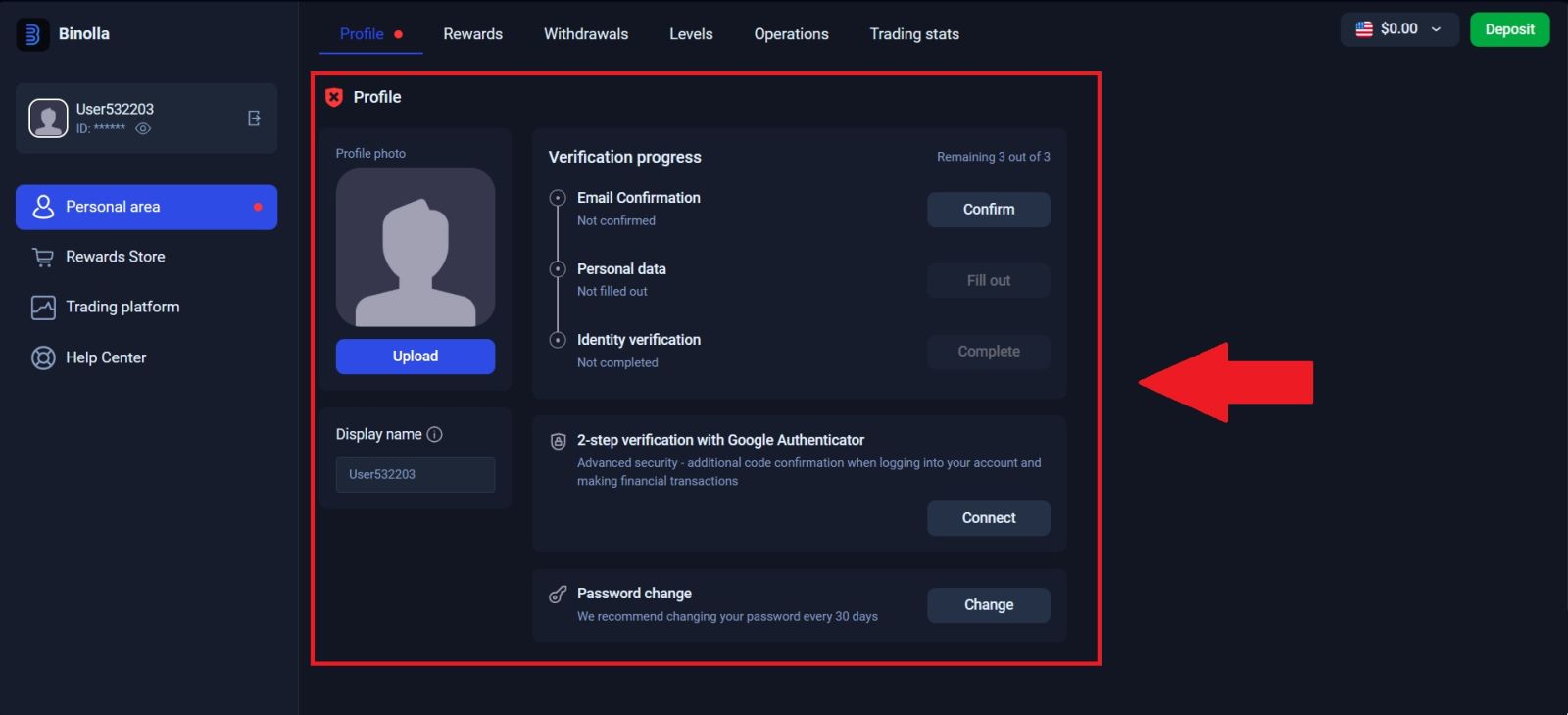
After successfully logging in to your Binolla account, click on the Profile icon and navigate to Profile.
From there, you can begin the process of confirming your personal and identity details.
#3 Verify your Email Number
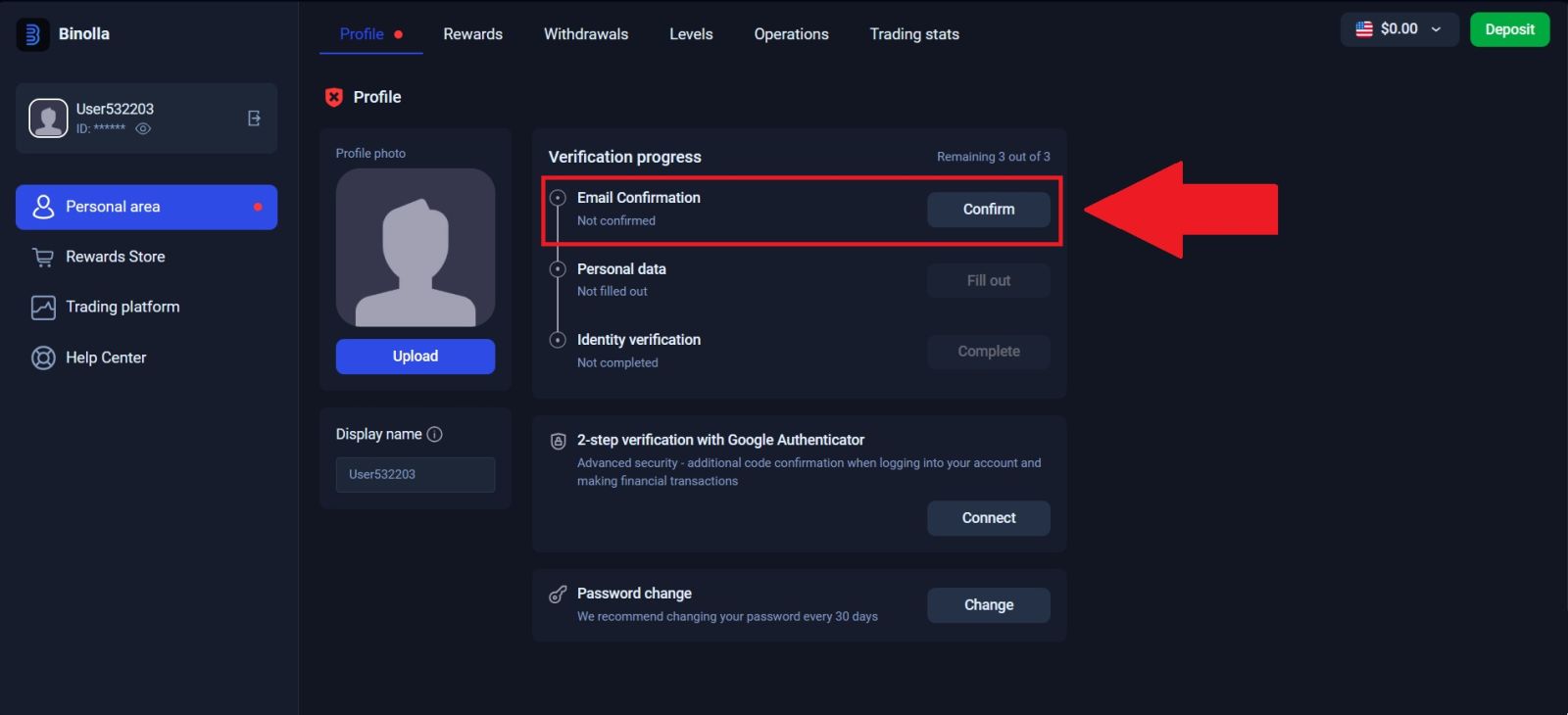
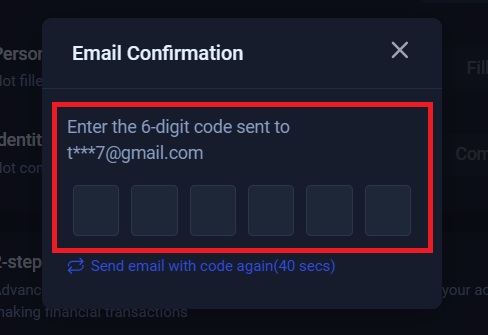
Start verifying your email by clicking on [Confirm] on the email confirmation section. 6-digit verification code was sent to your registered email.
Once the code is entered correctly, your email will be successfully verified, allowing you to continue with the account setup process.
#4 Verify your Personal Information
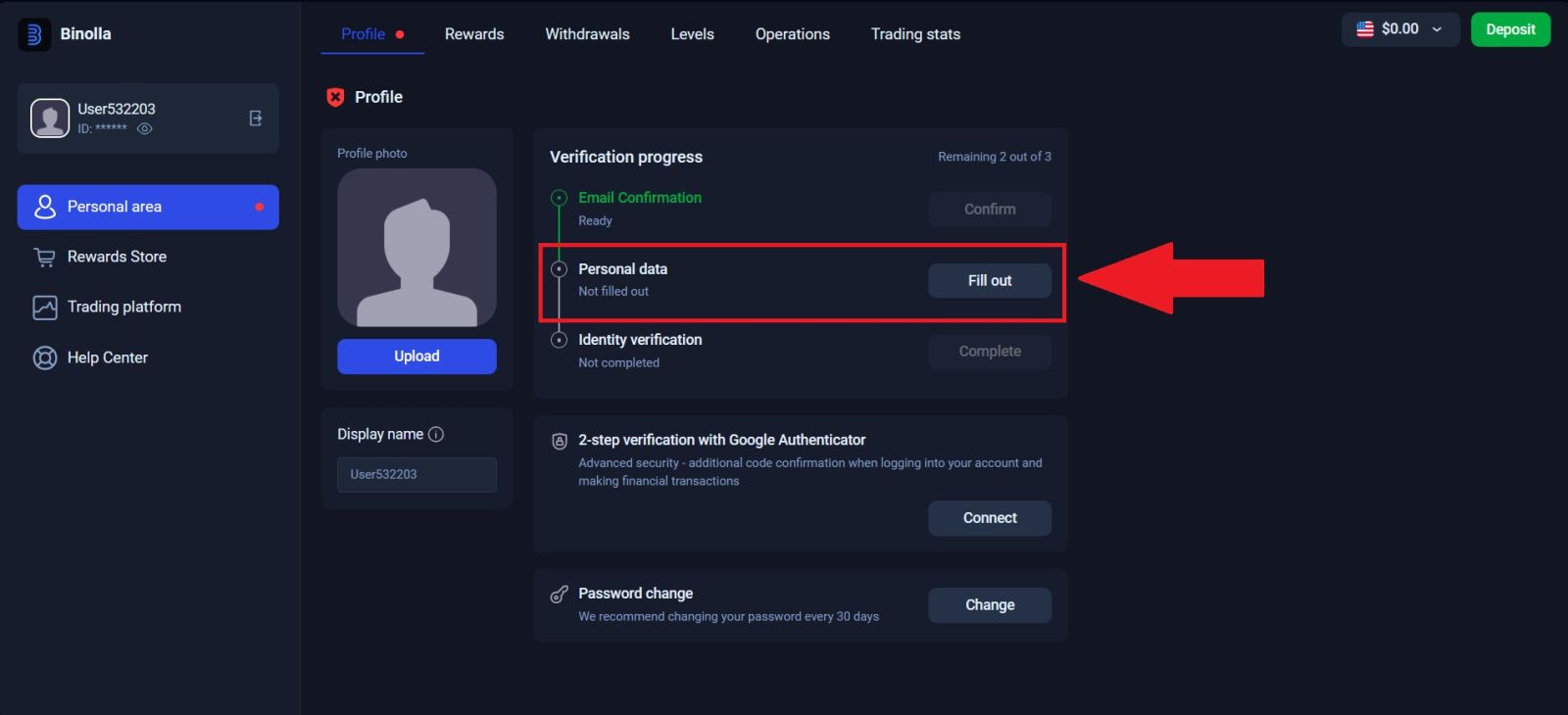
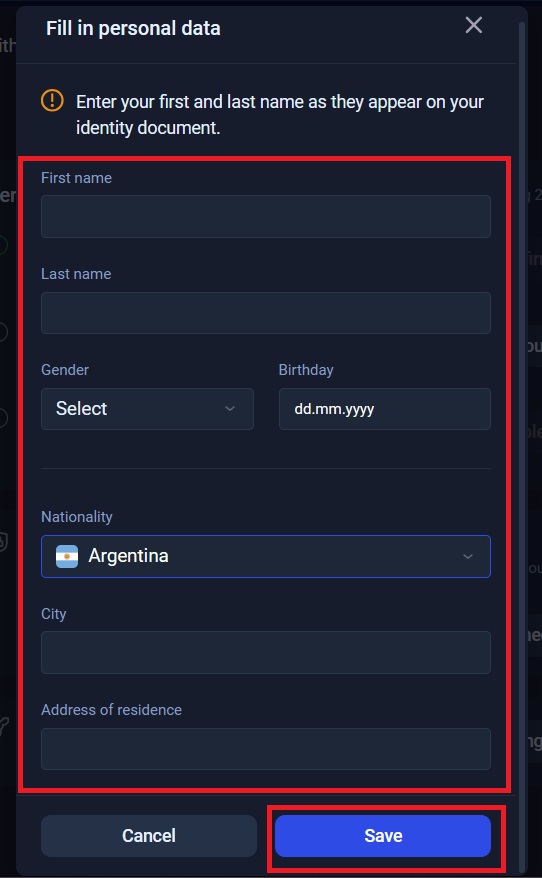
Start filling out your personal details by clicking on [Fill out] on the personal data section.Carefully enter all required personal details, ensuring that the information provided is accurate and matches your official documents. Once you have reviewed the details for correctness, click [Save] to complete and move forward to the next step of the verification process.
#5 Upload Your Documents
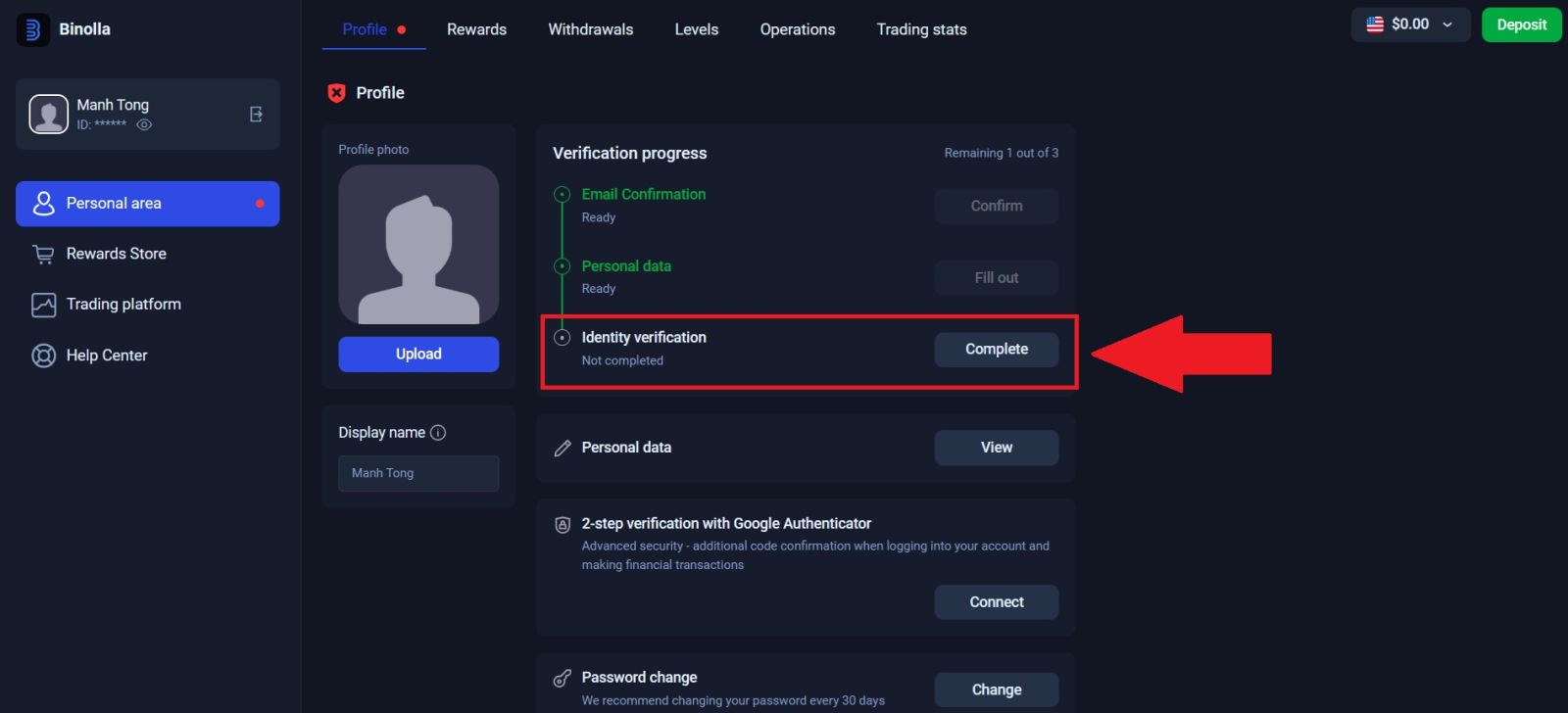
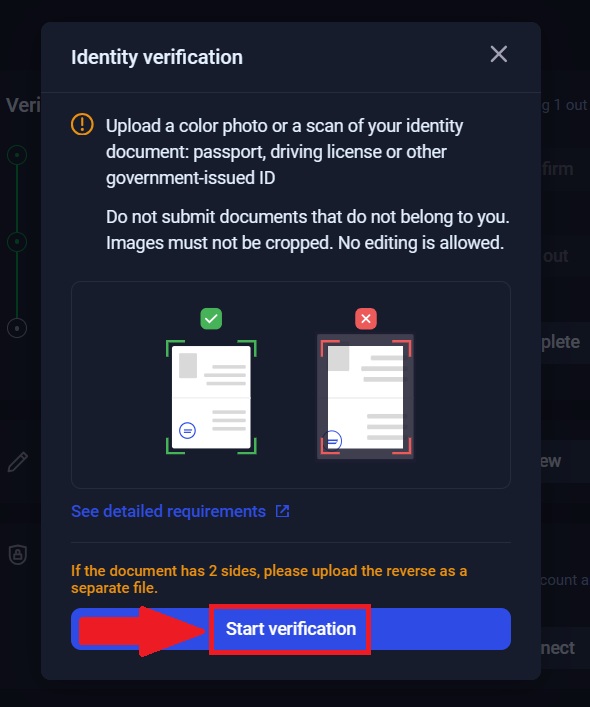
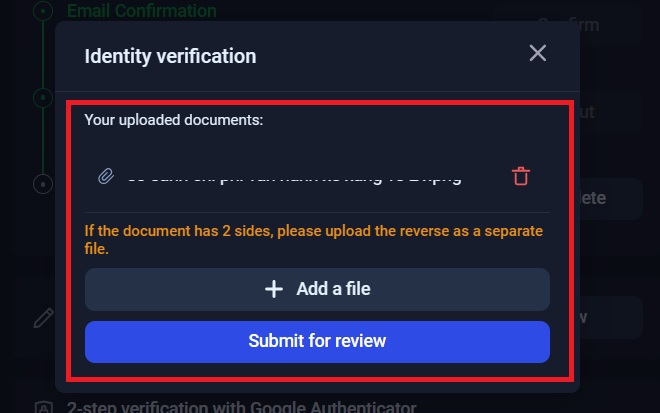
Click on [Confirm] to begin the identity verification process. Next, click [Start verification] and added your appropriate document —such as a passport, driver’s license, or official government-issued ID card.
Then, click [Submit for review] to complete the identity verification process. Binolla will then review your submitted documents and notify you once the verification process is complete.
#6 Binolla Verification Completed
After submitting all the required information and documents, your Binolla account verification will be successfully completed once it is reviewed and approved.You will receive a confirmation notification, and your account will gain full access to all Binolla features, including deposits, withdrawals, and live trading.
Conclusion: Complete Your Binolla Account Verification Smoothly
Verifying your Binolla account is an essential step to unlock full access to platform features, secure transactions, and flexible funding options. By following the KYC process carefully, submitting the required documents correctly, and understanding the approval timeline, you can ensure a smooth and efficient verification experience.Once your account is fully verified, you’ll enjoy enhanced security, seamless deposits and withdrawals, and greater confidence in managing your trading activities on Binolla.